Skip to content
Google Play Closed Test · Android

High-precision GPS tracking and live GNSS diagnostics.

Record precise GPX tracks, inspect multi-constellation satellite sky plots, and monitor real-time sensor telemetry. 100% stored on your device — no accounts, no cloud.

Play Store Exclusive · Paid (Closed Source) · Free trial & promo codes

Closed Test Google Play Closed Test is Live

Join our Google Group to automatically unlock closed test access on Google Play and use NeonTrace for free.

  1. 1 Join the Google Group with your Google Play account
  2. 2 Open Google Play to accept the invite and install the build
  3. 3 Use all features completely free during the closed test period
11locales
Built-in interface languages
100%local
Data never leaves device
7GNSS
Sky plot & 7 constellations
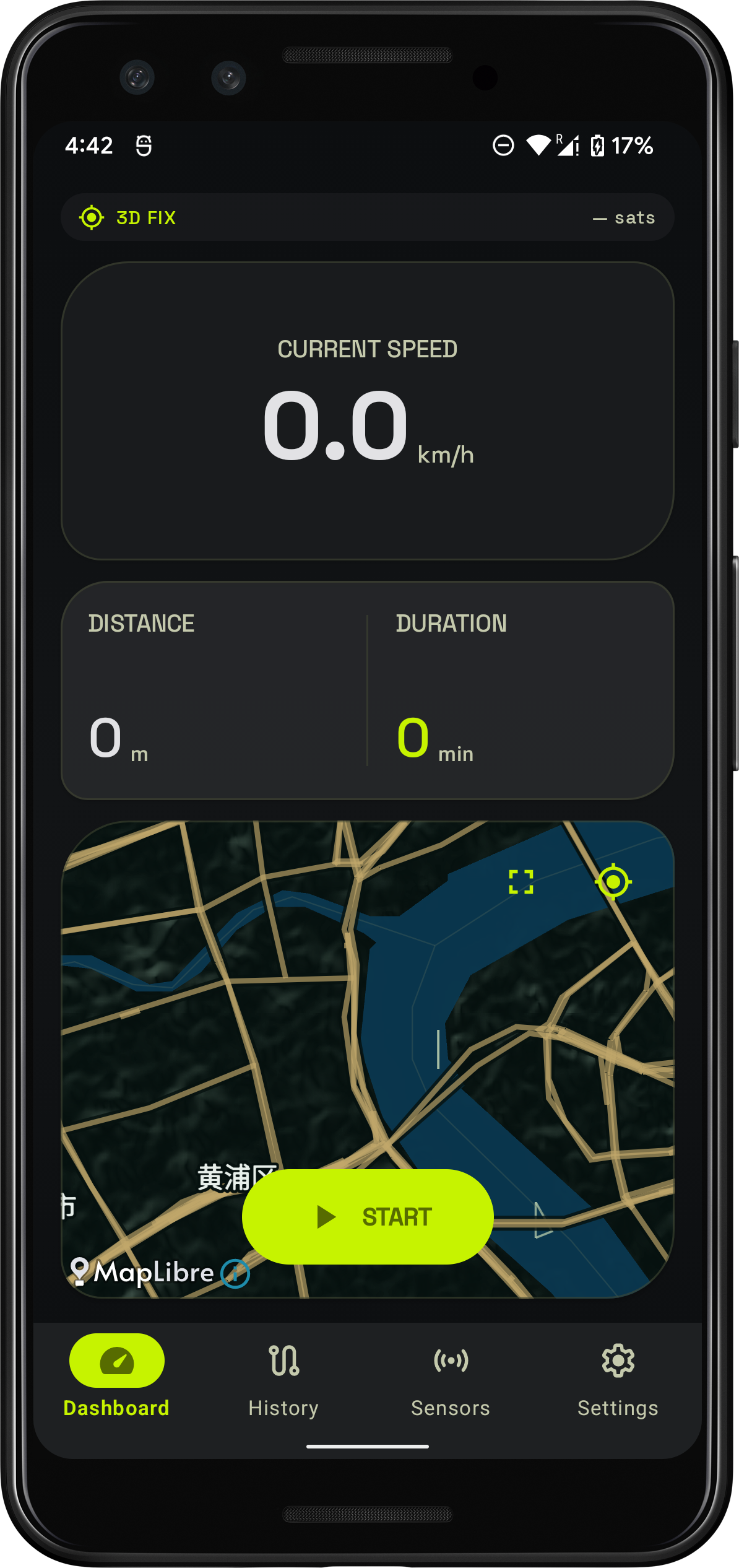
NeonTrace live tracking dashboard on a phone
Features

Every feature, tested on real devices.

From quick glances on your phone to a wide cockpit view, each screen is tuned for the way you travel.

A dashboard you can read in motion.
Live tracking

A dashboard you can read in motion.

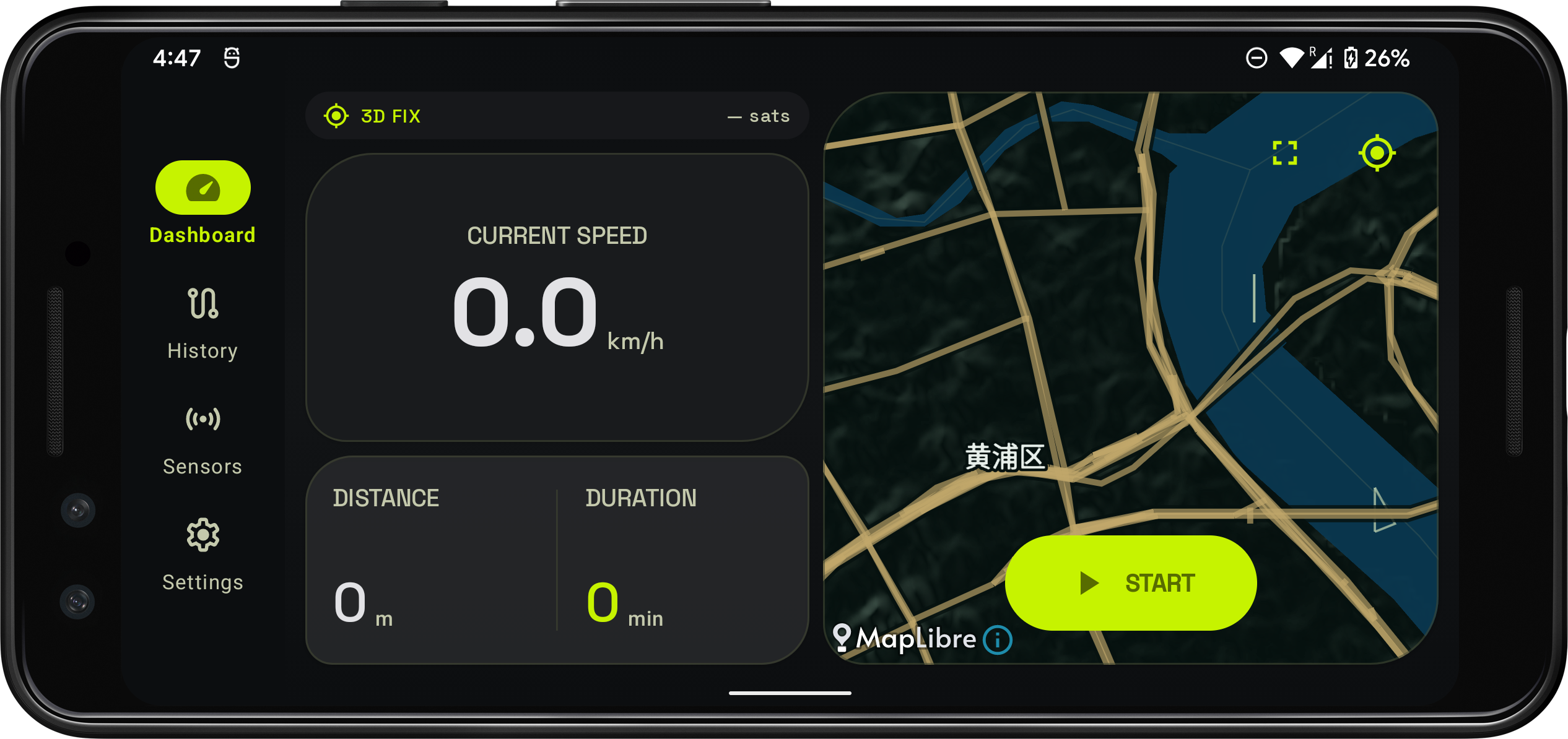
Keep speed, distance and duration in view while a foreground service records your GPX track, even with the screen locked. Turn the phone sideways and the map moves beside your live trip stats.

  • Pause, resume, and stop from the notification
  • Per-point confidence and segment boundaries
  • Raw GNSS samples retained alongside accepted points
Two renderers, one canonical coordinate system. 1Two renderers, one canonical coordinate system. 2
Maps

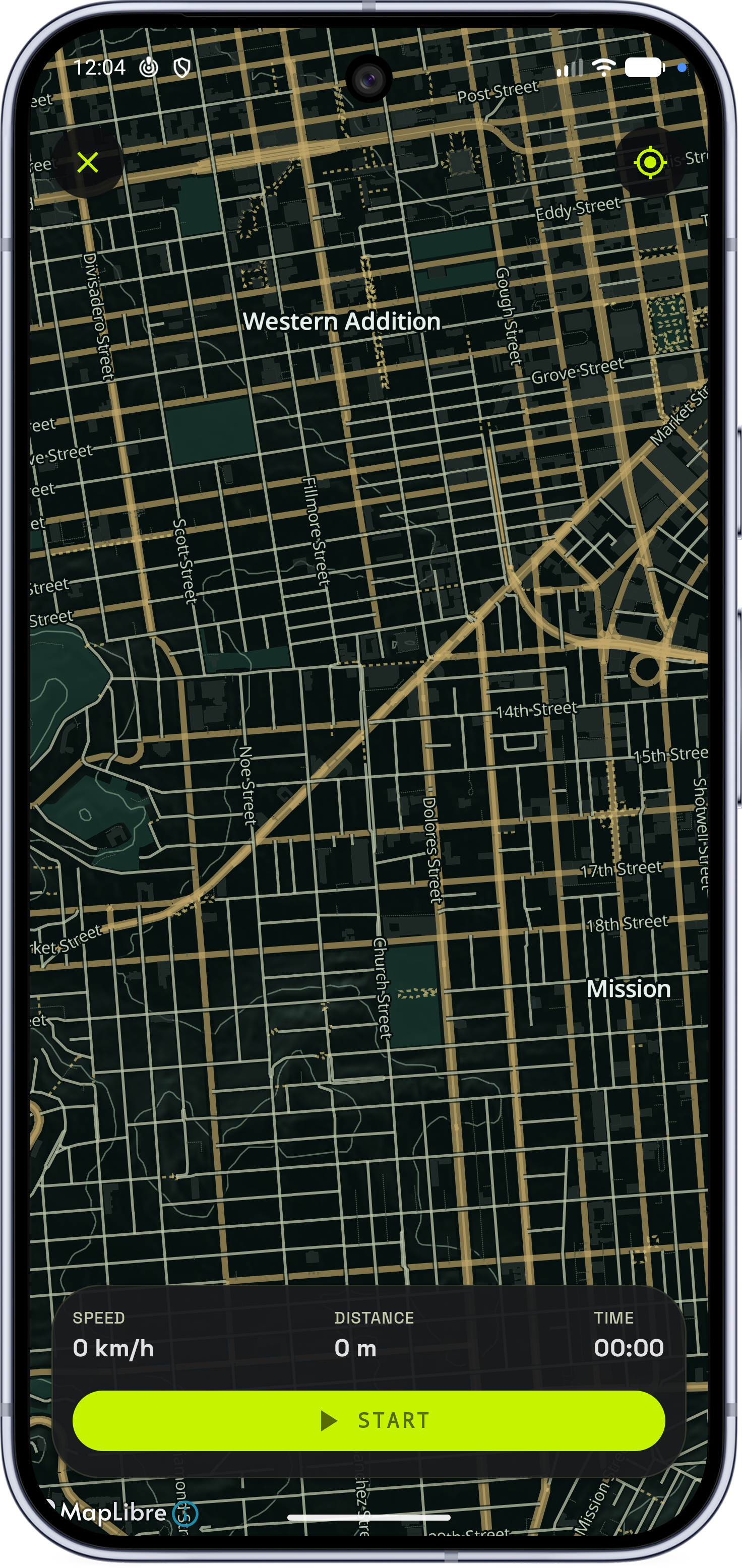
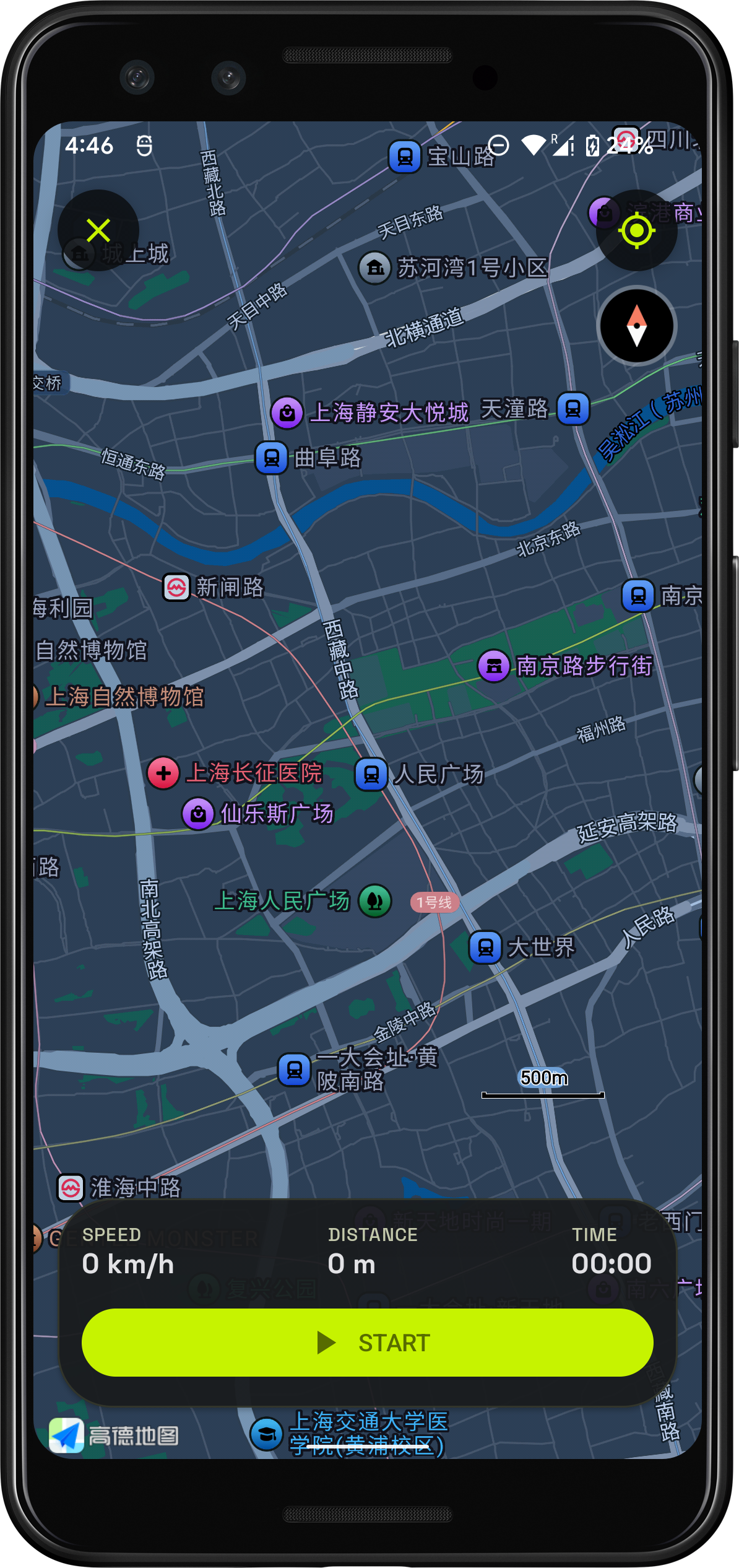
Two renderers, one canonical coordinate system.

Switch between MapLibre for OpenStreetMap and the AMap 3D SDK without changing the map contract. Recordings, imports and exports always use WGS84 — GCJ-02 conversion happens only at AMap render time.

  • MapLibre for global OpenStreetMap
  • AMap 3D SDK with official offline city packages
  • High-contrast glowing route line for outdoor visibility
Sensor data and satellite diagnostics.
Telemetry

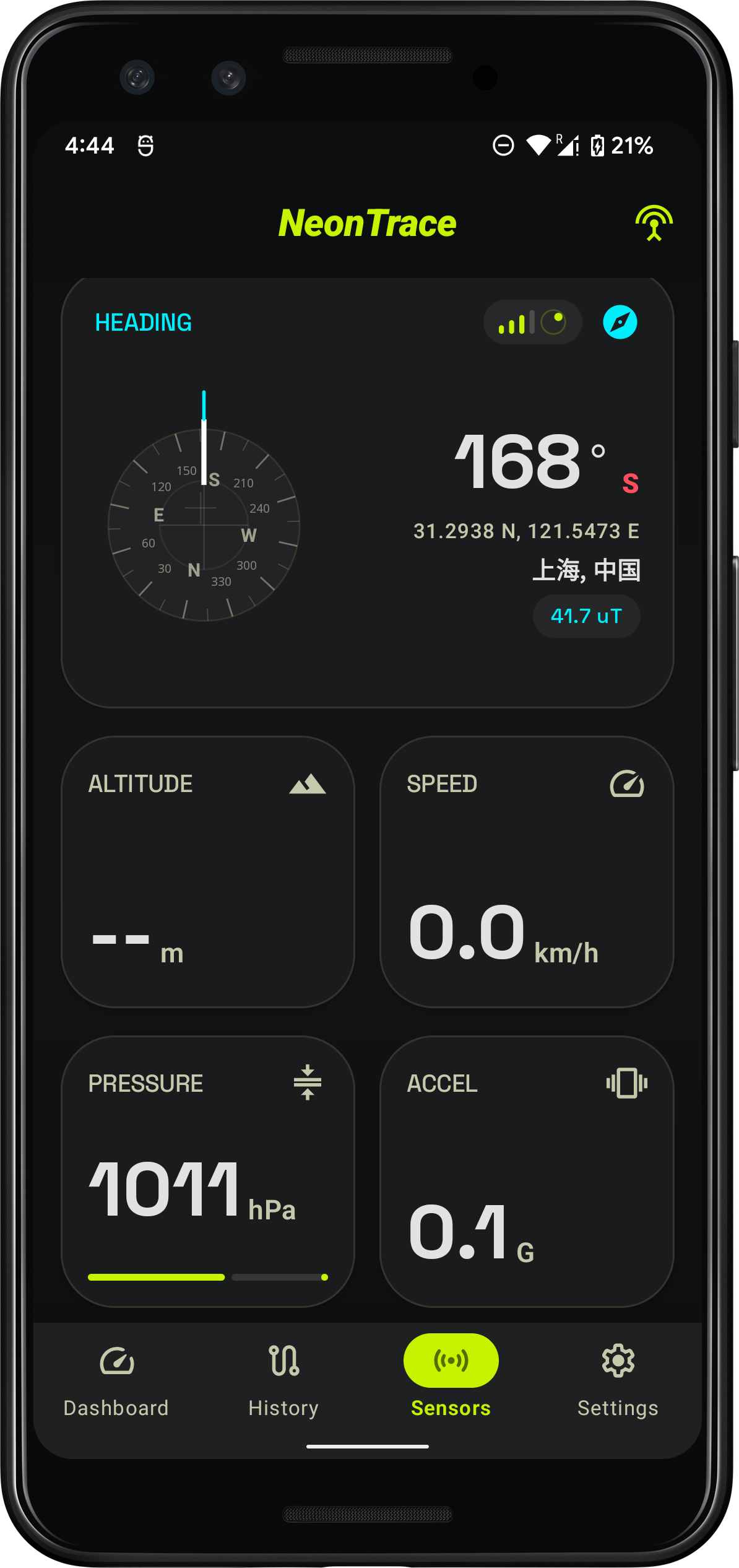
Sensor data and satellite diagnostics.

A bento-grid sensor surface with heading, magnetic field, altitude, pressure and acceleration. Dive deeper for a live GNSS sky plot, C/N0 averages, and per-satellite tables across GPS, GLONASS, Galileo, BeiDou, QZSS, NavIC and SBAS.

  • Compass, magnetic field, altitude, pressure
  • Sky plot with C/N0 and fix detail
  • Seven constellation systems supported
Every track, organized and exportable.
History

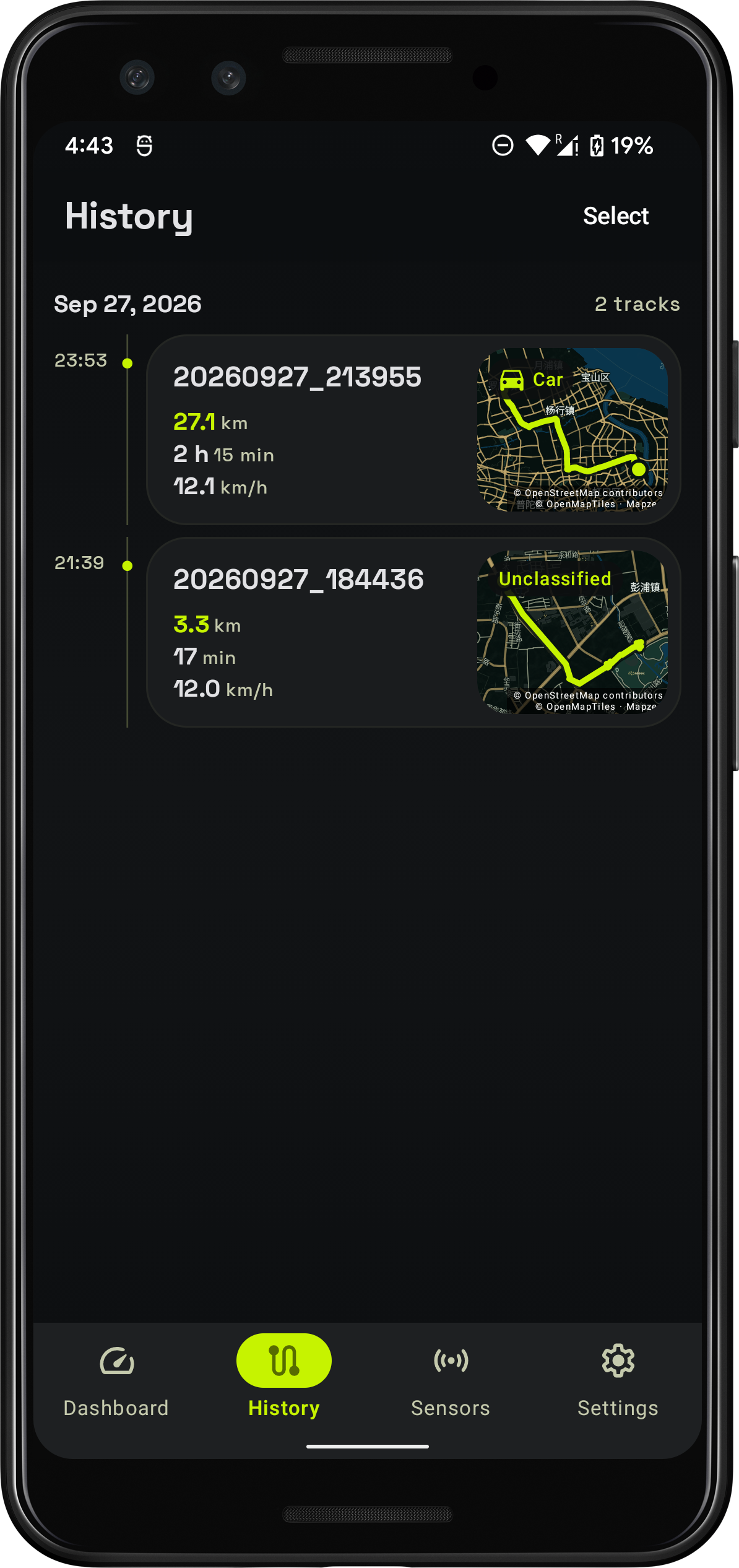
Every track, organized and exportable.

Scan saved trips by date, compare distance and duration, then reopen a route when you want a closer look. Export standard GPX or raw CSV and share through Android’s share sheet.

  • Route previews beside trip summaries
  • Rename, undo, and multi-select delete
  • GPX and raw CSV export
See the shape and pace of every trip.
Route review

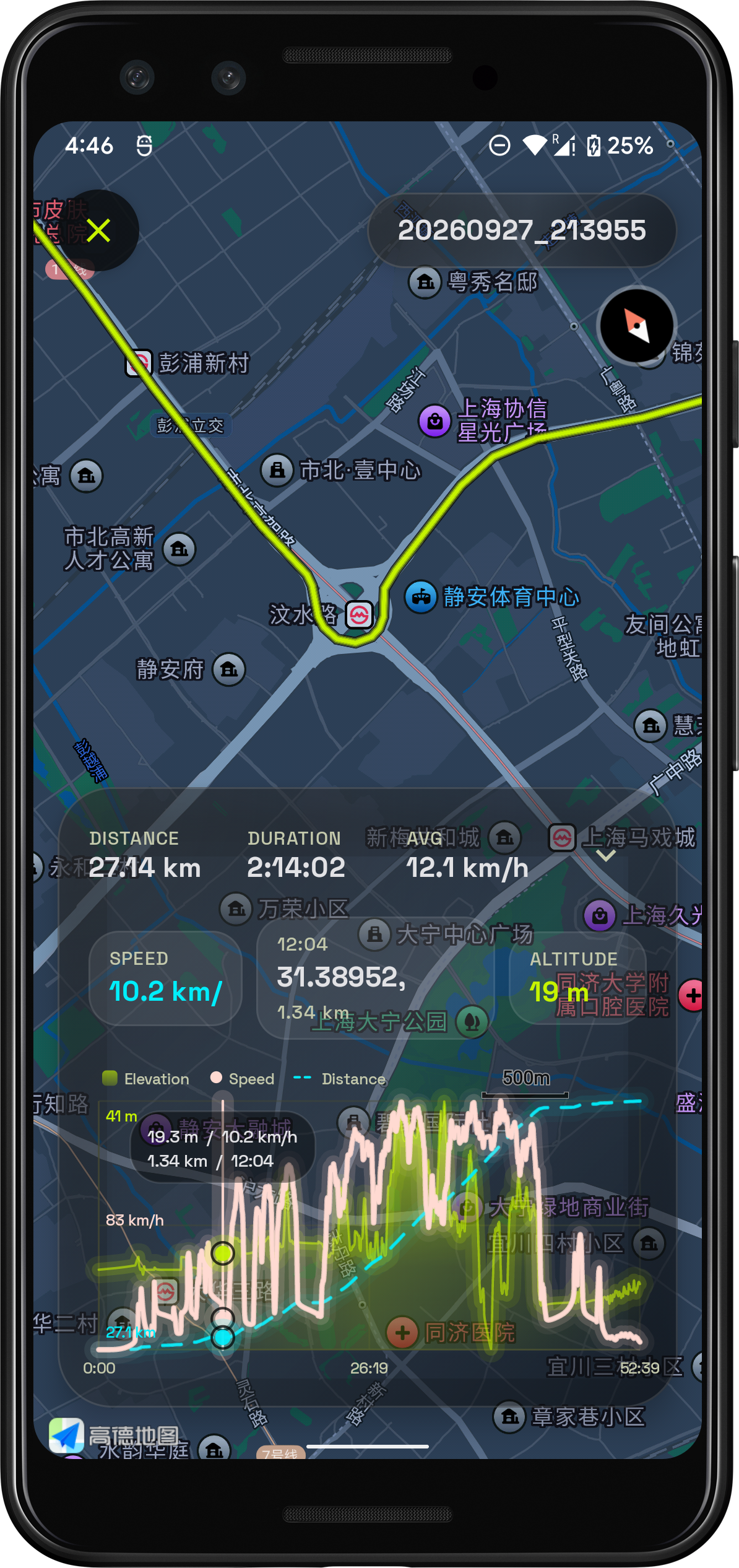
See the shape and pace of every trip.

Revisit a recorded route with its map, distance, duration, speed and elevation together. Scrub through the charts to inspect how the trip changed along the way.

  • Route line and session totals in one view
  • Speed and elevation charts along the trip
  • Inspect readings along the recorded route
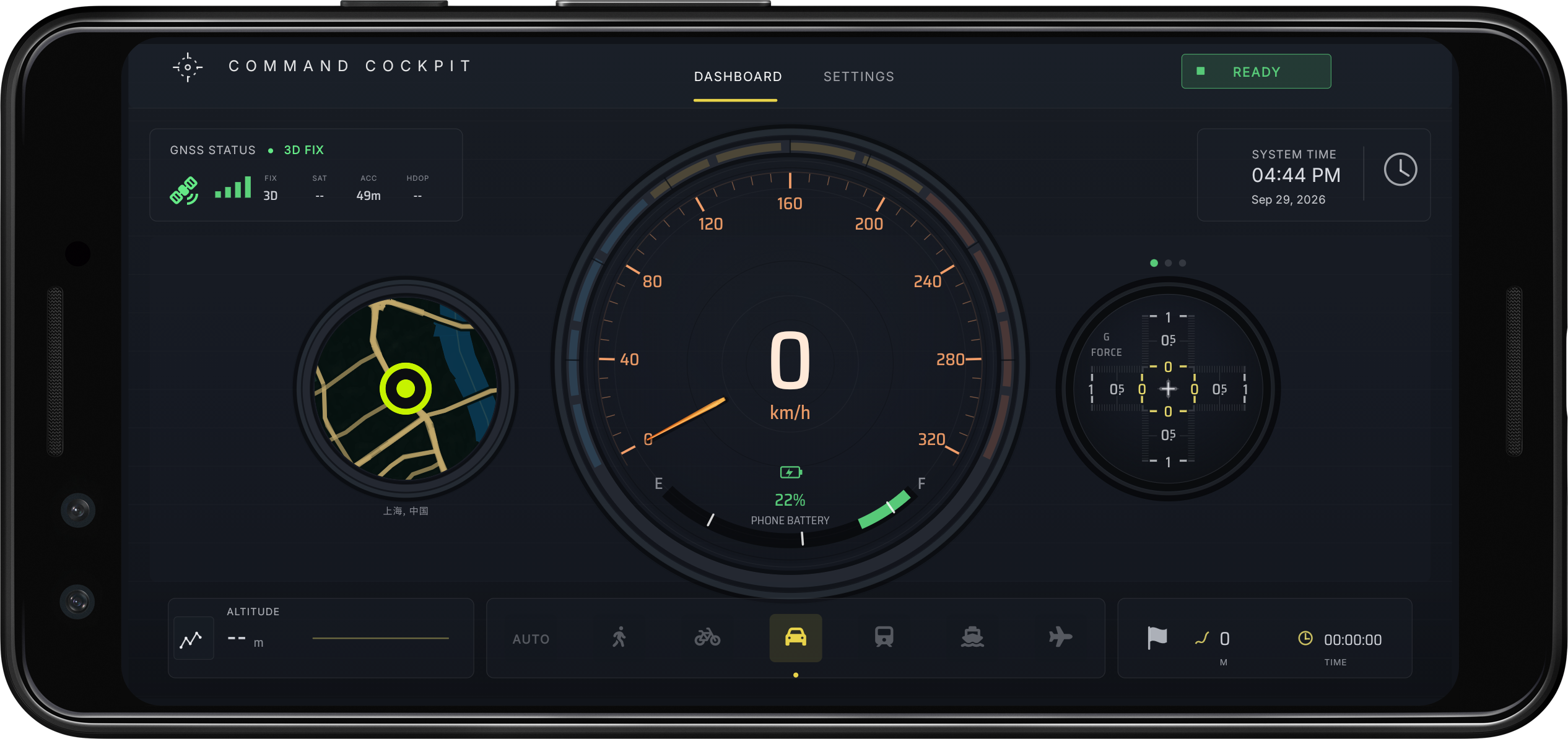
Landscape cockpit built for vehicles and cycling.
Command Cockpit

Landscape cockpit built for vehicles and cycling.

Switch to a wide landscape dashboard with map, GNSS fix, compass and driving profile arranged around a central speedometer.

  • AMOLED black theme for OLED battery savings
  • Immersive modes: standard, hide top, hide bottom, hide all
  • Max / avg speed, energy kWh, efficiency, remaining
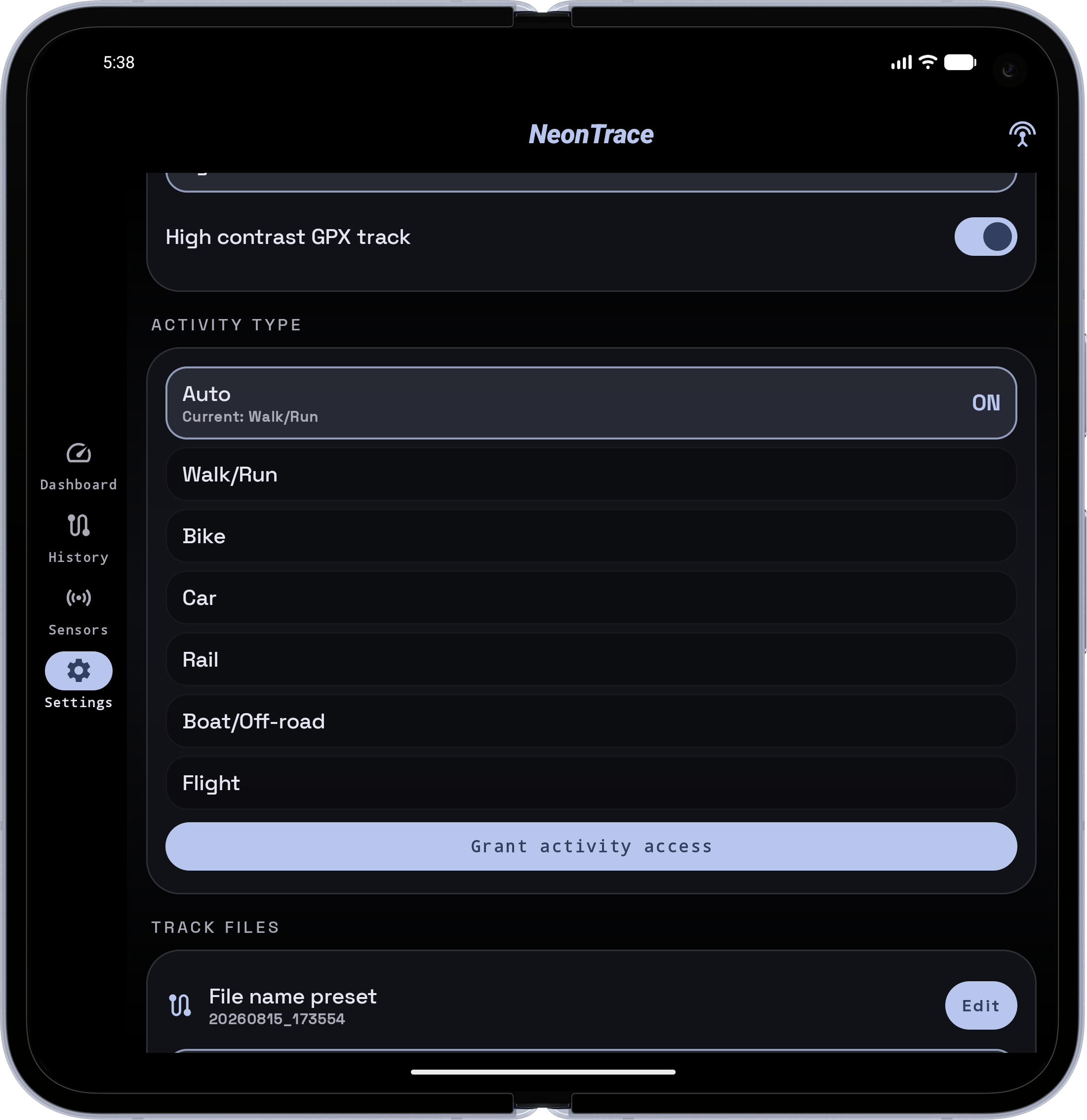
Adaptive tracking thresholds by movement profile.
Activity recognition

Adaptive tracking thresholds by movement profile.

In Auto mode, Android activity recognition detects walking, cycling, or driving to adjust accuracy and jitter thresholds. Falls back to manual selection if permission is declined.

  • Auto, Walk/Run, Bike, Car, Rail, Boat, Flight
  • Activity-aware accuracy and jitter thresholds
  • Permission requested only for Auto mode
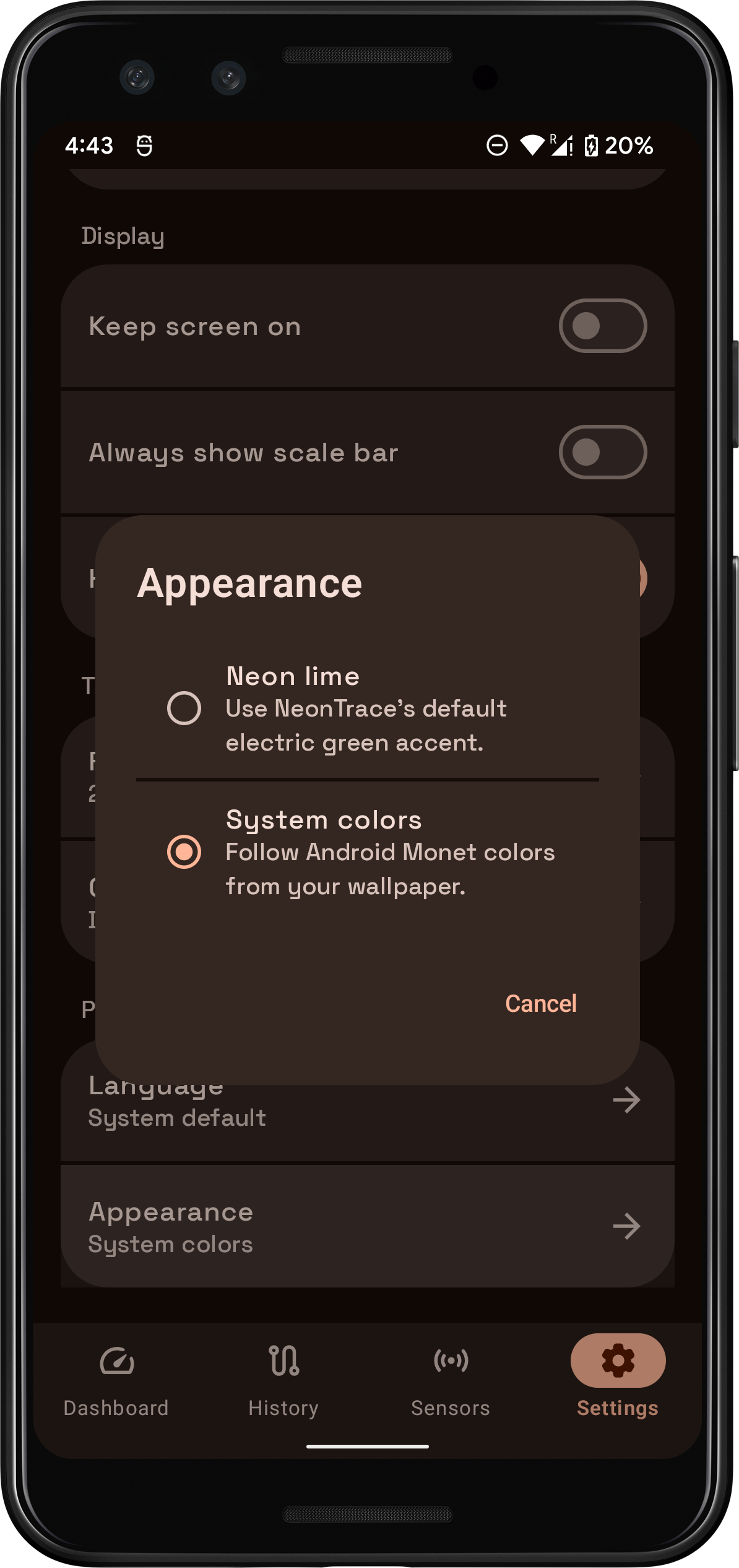
Offline-ready with granular controls.
Offline & Settings

Offline-ready with granular controls.

Cache browsed tiles for OSM, manage official AMap offline city packages, and customize units, map styles, GPX filename patterns, and theme colors. Eleven interface languages included.

  • Metric or imperial units
  • Custom GPX file-name patterns with presets
  • Eleven interface languages
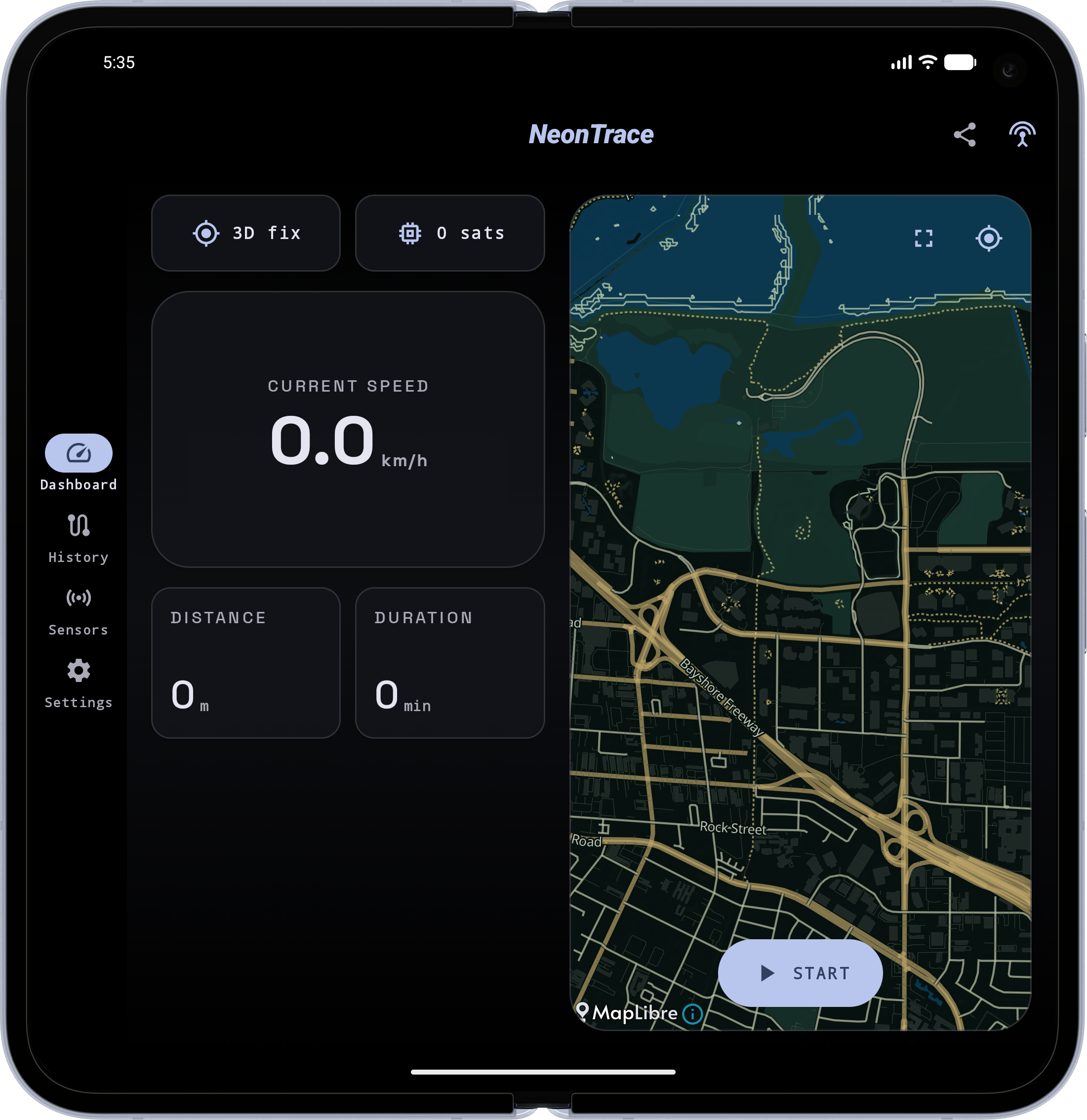
Adaptive layout

Adaptive design across screen sizes.

NeonTrace scales smoothly from standard phones to foldables and tablets, keeping metrics and live maps in one unified view.

NeonTrace dashboard expanded across a foldable screen

Unfold into a dual-pane dashboard.

The expanded layout keeps navigation, trip metrics and the live map on screen together.

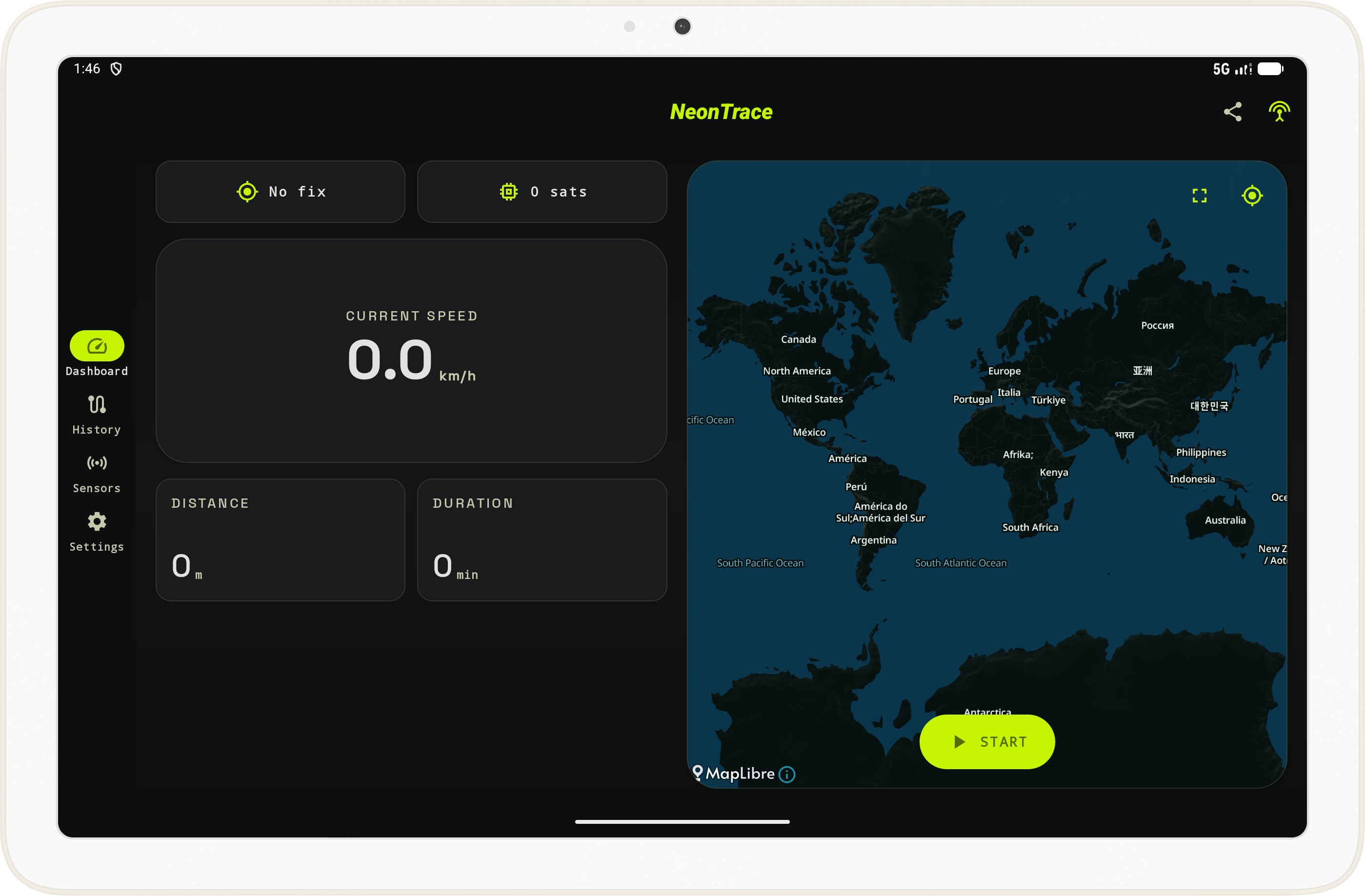
NeonTrace live dashboard and map on a tablet

A full-size GPS cockpit.

On a tablet, map and live trip data each have room to breathe.

Privacy

Your route stays on your device.

NeonTrace requires no user account and never sells personal data. Tracks, settings, and offline map cache live locally on your device, and Android cloud backup is disabled for app data.

Location

Precise or approximate location is used only after you grant permission — to record tracks, center the map, or compute route statistics.

Track files

GPX files and metadata are stored in private app storage on your device. Share or export only when you choose to.

Activity recognition

Used only for Auto activity mode after you grant permission. Falls back to manual selection if denied.

Maps & third parties

Map tiles and optional geocoding contact providers only when you select them. AMap requires explicit consent before its SDK starts.

Read the full privacy policy
About

NeonTrace

Version 2.0.1

A privacy-first GPS route tracking and GNSS telemetry app for Android, built with Jetpack Compose and Material 3 Expressive. Google Play exclusive, proprietary closed-source app, with free trials and occasional promo code giveaways. Currently in Google Play Closed Test — join the tester group for free access.

Developer BenLi06
Release specifications
Platform Google Play Exclusive
License Proprietary / Closed Source
Pricing Paid (One-time purchase)
Trial Free Trial Available
Perks Occasional Free Promo Codes
Current Phase Closed Test (Free Access via Group)
Supported languages
English简体中文繁體中文日本語한국어FrançaisDeutschEspañolItalianoNorsk BokmålLatina

Join the Closed Test for free access.

Join our Google Group to automatically unlock closed test access on Google Play and use NeonTrace for free. Formal release will be paid and closed source on Google Play with a free trial and occasional promo code giveaways.